Scripting the build of OpenDayight Controller under CentOS
Jon Langemak has a great write up on building the OpenDaylight controller under CentOS . Since I’ll have to do this a bunch of times, I though tI’d take what he so generously put online and build a very rudimentary script for deploying ODC under CentOS. The prerequisites are that you already have an account and ssh key at the OpenDaylight GIT repo and that you disable SELinux . Here is the script:
#!/bin/bash
# Install Opendaylight controller under CentOS
# by nick [at] buraglio.com http://www.twitter.com/buraglio
# http://www.forwardingplane.net
# Based on post by Jon Langemak (http://www.twitter.com/blinken_lichten)
# http://www.dasblinkenlichten.com/installing-opendaylight-on-centos/
yum="/usr/bin/yum"
servivce="/sbin/service"
chkconfig="/sbin/chkconfig"
echo "************************"
echo "************************"
echo "Disable SELINUX before starting this process"
echo "Edit the /etc/selinux/config file and restart the server"
echo "************************"
echo "************************"
echo "Change the username in the GIT section to your own"
echo "you'll need to create it and upload"
echo "your ssh key at git.opendaylight.org"
echo "************************"
echo "************************"
echo "************************"
echo "Installing Development tools and other deps"
echo "************************"
yum install -y wget vim java ant python eclipse-platform git
yum groupinstall -y “Development tools”A
echo "************************"
echo "Downloading and installing maven"
echo "************************"
wget http://www.poolsaboveground.com/apache/maven/maven-3/3.0.5/binaries/apache-maven-3.0.5-bin.zip
unzip apache-maven-3.0.5-bin.zip -d /usr/share/
ln -s /usr/share/apache-maven-3.0.5/bin/mvn /usr/bin/mvn
echo "************************"
echo "Downloading GIT code"
echo "************************"
# Change the username here to your own, you'll need to create it and upload
# your ssh key at git.opendaylight.org
mkdir -p /services/opendaylight/
cd /services/opendaylight/
git clone https://buraglio@git.opendaylight.org/gerrit/p/controller.git
echo "************************"
echo "Building OpenDaylight Controller with Maven"
echo "************************"
cd controller/opendaylight/distribution/opendaylight/
mvn clean install
echo "************************"
echo "Configure Java Env variables"
echo "************************"
export JAVA_HOME=/usr/lib/jvm/java-1.6.0-openjdk.x86_64
echo "JAVA_HOME=/usr/lib/jvm/java-1.6.0-openjdk.x86_64" >> /etc/environment
echo "************************"
echo "Load the controller"
echo "************************"
cd /services/opendaylight/controller/opendaylight/distribution/opendaylight/target/distribution.opendaylight-0.1.0-SNAPSHOT-osgipackage/opendaylight
echo "************************"
echo "Start OpenDaylight OF controller"
echo "************************"
./run.sh
Once up and running, it’s pretty trivial to point something like an HP switch at the controller. For an HP5400, just decide what VLAN(s) you want to use OpenFlow on. I chose 999 as my test VLAN.
sw-5400-of# conf t
sw-5400-of(config)# vlan 999 name test-openflow999
sw-5400-of(vlan-999)# untagged A3-A4
sw-5400-of(vlan-999)# exit
sw-5400-of(config)# openflow vlan 999
sw-5400-of(openFlow vlan-999)# enable
sw-5400-of(openFlow vlan-999)# controller "tcp:10.17.4.22:6633"
sw-5400-of(openFlow vlan-999)# exit
sw-5400-of(openFlow)# exit
sw-5400-of(config)#
w-5400-of(config)# exit
sw-5400-of# show openflow
sw-5400-of# show openflow
 Openflow Configuration
  Openflow aggregate VLANs [Disabled] :
  Openflow aggregate management VlanId [0] : 0
  Openflow second aggregate management VlanId [0] : 0
  Openflow aggregate configuration VlanId [0] : 0
  VID State HW Active controller Pseudo-URL Conn
  ---- ----- --- -------------------------------------------------- ----
  666 Off On No
  999 On On tcp:10.17.4.22:6633 Yes
From here we can see the box in the openflow controller.
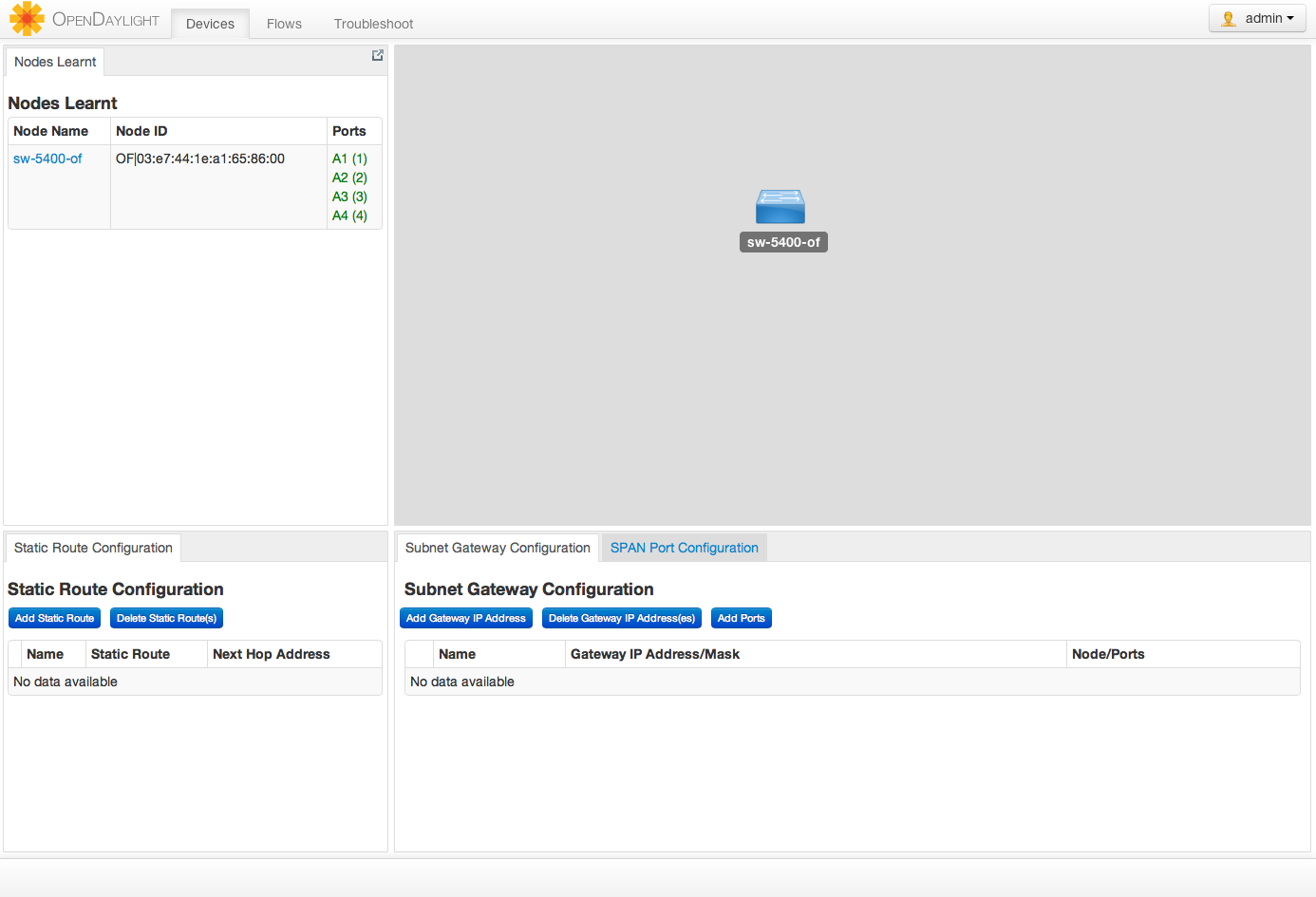
I’m still having some issues pushing flows, I’m sure I can work it out but here is a quick screencast of me trying to push a flow. More posts will be added as soon as I can get the flows to push correctly.
I suspect it is user error and I just need to read the docs. More to come for sure. This controller is very, very slick.